What Are Nameservers - How They Connect Your Domain, and How to Change Them Safely (2026)
Nameservers decide where your domain's DNS settings live, which in turn decides where your website and email go. Here's how they work, when to change them and how to avoid breaking your email in the process.
On This Page
- Nameservers in Plain English
- How a Lookup Works
- Nameservers vs DNS Records
- Common DNS Records Your Nameservers Hold
- When to Change Your Nameservers
- Bluehost Nameservers
- How to Change Nameservers Safely
- Checking Your Current Nameservers
- Why Domains Have Two or More Nameservers
- Custom and Private Nameservers
- Do Nameservers Affect Speed?
- Common Nameserver Problems
- What Are Nameservers FAQ
Nameservers in Plain English
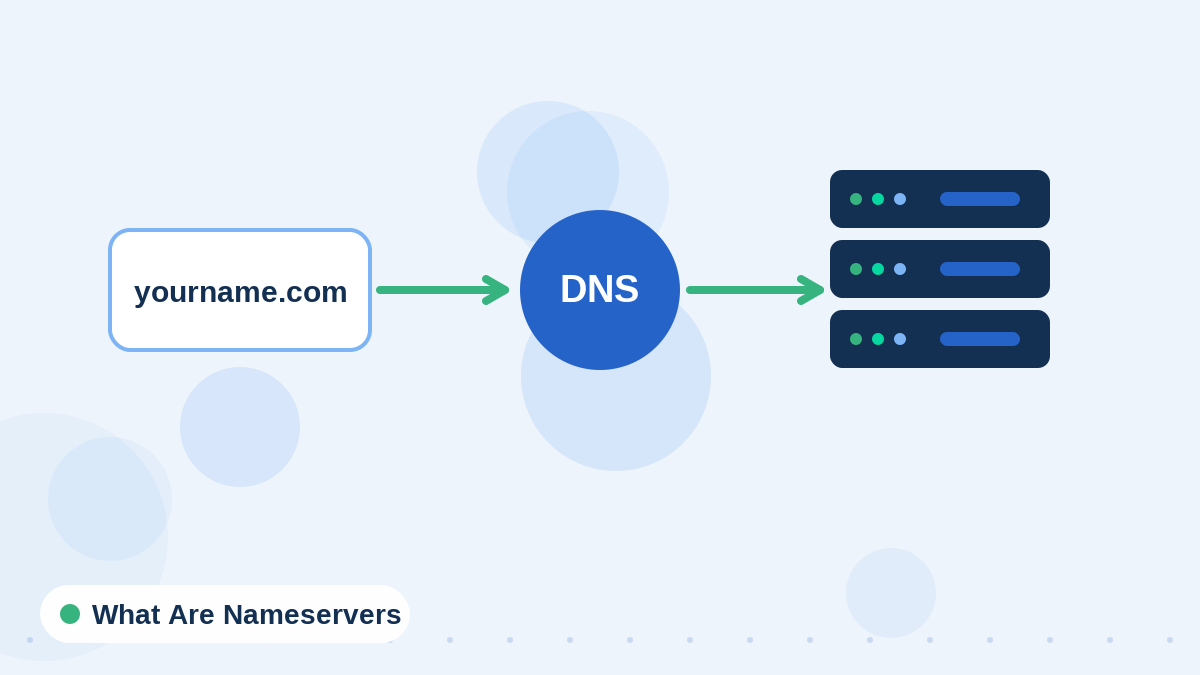
Think of the internet's Domain Name System as a giant phone book that turns names like yourbusiness.com into numeric server addresses. That phone book isn't one big list; it's split across millions of servers.
Your domain's nameservers are the specific servers that hold your domain's entries. When anyone asks where your website or email lives, the question eventually reaches your nameservers, which give the answer.
So nameservers don't host your website. They hold the directions to it.
How a Lookup Works
When someone types your domain into a browser, a quick chain of lookups happens behind the scenes:
The browser asks a resolver, usually run by the visitor's internet provider, for your domain's address.
The resolver asks the root servers, which point it to the servers for your extension, such as .com.
The .com servers say which nameservers are responsible for your domain.
Your nameservers answer with the record for your website, such as its server's IP address.
The browser connects to your hosting server and loads your site.
This usually takes milliseconds, and results are cached so repeat visits are even faster.
Nameservers vs DNS Records
These two terms are often confused, but they work at different levels.
| Nameservers | DNS Records | |
|---|---|---|
| What they do | Decide which provider holds your DNS | Give specific directions for your domain |
| Where you set them | At your domain registrar | At whichever provider your nameservers point to |
| Examples | ns1.bluehost.com, ns2.bluehost.com | A record for your website, MX records for email |
| Effect of changing | Moves all DNS control to a new provider | Changes one specific service |
The key point: you edit DNS records wherever your nameservers point. If your domain uses your host's nameservers, you edit records at your host. If it uses your registrar's nameservers, you edit them at the registrar. Editing records in the wrong place has no effect.
Common DNS Records Your Nameservers Hold

- A record: points your domain to a server's IPv4 address, usually your website.
- AAAA record: the same for IPv6 addresses.
- CNAME record: points one name to another, often used for "www."
- MX records: tell mail servers where to deliver your email.
- TXT records: hold verification codes and email authentication like SPF and DMARC.
Our Bluehost DNS records guide shows how to edit each one in your Bluehost account.
When to Change Your Nameservers
You'd typically change nameservers when:
- You've bought hosting and want your host to manage DNS, which is the simplest way to connect a separately registered domain.
- You're moving hosts and want the new host to manage everything.
- You're using a DNS or security service that requires its own nameservers.
You don't need to change nameservers if your domain and hosting are with the same company. That connection is set up for you.
Bluehost Nameservers
Bluehost's nameservers are:
- ns1.bluehost.com
- ns2.bluehost.com
You'll find them in your Bluehost order confirmation email and in your account. In the Bluehost Portal, look under the Domains tab and its Nameservers section, or open Hosting and choose View Details. VPS and dedicated customers may use different, account-specific nameservers, so always check your own dashboard.
How to Change Nameservers Safely

Changing nameservers moves all your DNS records to the new provider. Any records that only exist at the old provider stop working. That's the main way people accidentally break their email during a move.
List your current DNS records. Note every record at your current provider, especially MX records for email and any TXT records.
Recreate needed records at the new provider. If you use a separate email service, add its MX and TXT records first.
Change the nameservers at your registrar. Replace the old pair with the new, such as ns1.bluehost.com and ns2.bluehost.com.
Wait for propagation. Bluehost says DNS changes can take up to 48 hours to take full effect.
Test your site and email. Check from different devices and networks over the next day.
During propagation, some visitors may see the old site and others the new one. Plan changes for a quiet time, and keep your old hosting active until everything has settled. Our connect a domain guide walks through the Bluehost-specific steps.
Checking Your Current Nameservers
You can see which nameservers your domain uses in your registrar's dashboard, or with a WHOIS or DNS lookup tool. On a computer, command-line tools such as nslookup or dig can also show them.
Checking nameservers is one of the first steps in troubleshooting. If your website or email isn't working after a change, confirming that the nameservers point where you expect often reveals the problem immediately.
Why Domains Have Two or More Nameservers
You'll always see at least two nameservers listed, such as ns1 and ns2. That's for redundancy. If one nameserver is unreachable, lookups can use the other, so your site doesn't disappear because of a single failure.
Most registrars require at least two. Larger DNS providers often list four or more, spread across different networks and locations, for extra resilience.
Custom and Private Nameservers
Some hosting customers, especially agencies and resellers, use custom nameservers that carry their own brand, such as ns1.youragency.com. These still point to the host's DNS infrastructure, but clients see the agency's name rather than the host's.
Custom nameservers are typically available on VPS and dedicated servers, where you control the server and its IP addresses. They require extra setup, including registering the nameserver names with your registrar. For most website owners, the host's standard nameservers are the right choice.
Do Nameservers Affect Speed?
A little. Every first-time visitor's browser needs a DNS answer before it can load your site, so fast, reliable nameservers shave a small amount off the first page load. Because results are cached, the effect on repeat visits is minimal.
In practice, choosing a reputable host or DNS provider covers this. Caching, image optimization and a CDN have a far bigger impact on how fast your site feels. Our site speed guide focuses on those.
Common Nameserver Problems
- Records edited in the wrong place. If nameservers point to your host, edits at your registrar won't apply.
- Email stops after a move. MX records weren't recreated at the new provider.
- Changes seem not to work. Propagation isn't complete, or your device is using a cached result. Try another network or wait.
- Typos in nameserver names. A single wrong character sends lookups nowhere.
- Expired domain. Nameservers stop working entirely if the domain lapses.
Our site down guide and email not working guide cover these issues in more depth.
What Are Nameservers FAQ
What is a nameserver in simple terms?
A server that holds your domain's DNS records, the directions to your website and email.
What are Bluehost's nameservers?
ns1.bluehost.com and ns2.bluehost.com for standard accounts. Check your dashboard for VPS or dedicated servers.
How long do nameserver changes take?
Bluehost says DNS changes can take up to 48 hours to take full effect.
Will changing nameservers affect my email?
It can. Recreate your email's MX records at the new provider before switching.
Do I need to change nameservers if my domain and hosting are together?
No. The connection is set up automatically.
What's the difference between nameservers and DNS?
Nameservers are part of DNS. They decide which provider holds your domain's DNS records.