Best WordPress Hosting - 8 Hosts Compared for Every Budget (2026)
The best WordPress host depends on your site, your budget and how much you want handled for you. Here are our picks, from affordable shared plans to premium managed platforms.
On This Page
- Types of WordPress Hosting
- What Makes a Great WordPress Host
- WordPress Hosts Compared
- 1. Bluehost: Best Overall WordPress Hosting
- 2. SiteGround: Best for Daily Backups and Support
- 3. Hostinger: Best Budget WordPress Hosting
- 4. Bluehost Cloud: Best Managed WordPress Value
- 5. WP Engine: Best Premium Managed WordPress
- 6. DreamHost: Best for Many WordPress Sites
- 7. WordPress.com: Best for a Single Hands-Off Site
- 8. IONOS: Best for Storage-Hungry Sites
- Shared vs Managed WordPress Hosting
- WordPress Hosting Features Explained
- Red Flags When Choosing WordPress Hosting
- How Much Does WordPress Hosting Cost?
- Which WordPress Host Fits Your Site?
- Setting Up WordPress Hosting the Right Way
- Best WordPress Hosting FAQ
Best for most WordPress sites
Bluehost
From $3.99/mo on a 36-month term, renews at $9.99
WordPress AI Builder, staging, caching, CDN, managed updates and malware removal on every plan, with Bluehost Cloud for growth.
View Bluehost PlansBest for daily backups and premium support
SiteGround
From $1.99/mo for the first year, renews at $17.99
Daily backups with 30 days of restore points, free email and phone support on every plan.
See How It ComparesBest for the lowest upfront cost
Hostinger
From $1.99/mo on a 48-month term, renews at $10.99
Low upfront price, LiteSpeed servers and a simple custom dashboard for budget WordPress sites.
See How It ComparesTypes of WordPress Hosting
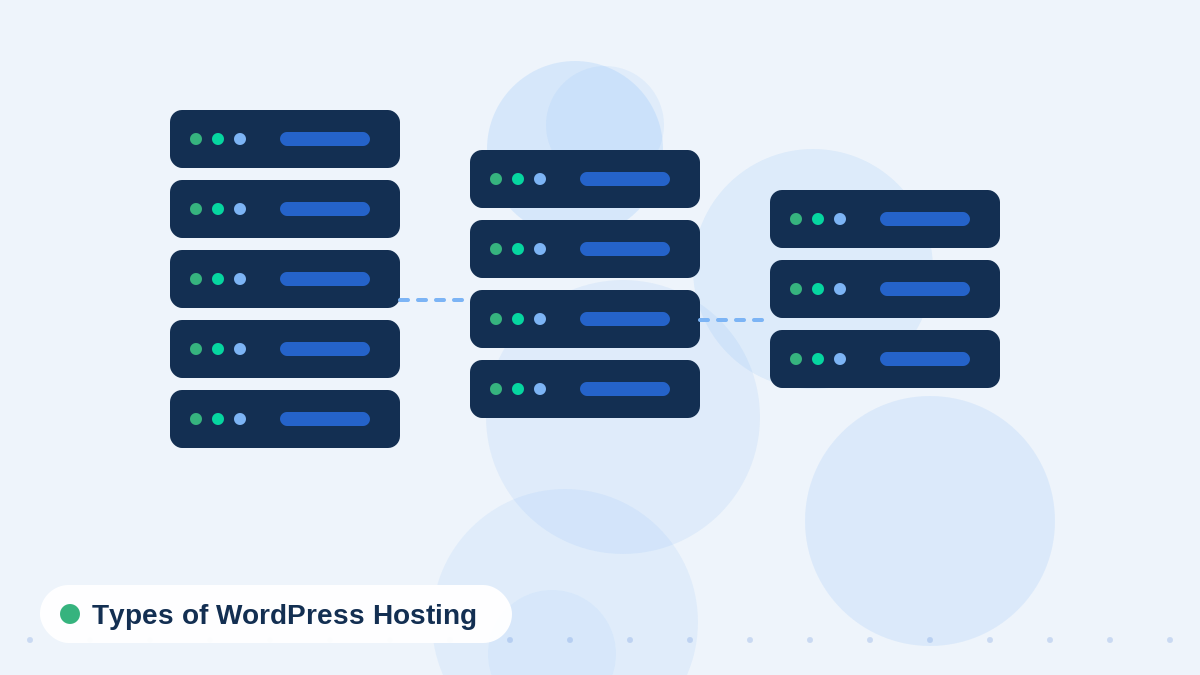
"WordPress hosting" covers several different products, and the right one depends on your site. Here's the plain-English version.
Shared WordPress Hosting
Your site shares a server with others, with WordPress tools added. Affordable and ideal for most blogs and small business sites.
Managed WordPress Hosting
The host handles updates, backups, caching and security more completely. Costs more, suits busy or high-value sites.
Cloud WordPress Hosting
Resources scale across multiple servers. Good for sites with high or spiky traffic.
Hosted WordPress Platforms
Services like WordPress.com run WordPress for you on their own platform, with plan-based features.
Most readers should start with shared WordPress hosting and move to managed or cloud hosting when traffic justifies it. Our types of web hosting guide explains each type in more depth.
What Makes a Great WordPress Host
We judged each host on the features that make WordPress easier, faster and safer to run. These are the things worth checking on any WordPress host you consider.
WordPress-Specific Setup
One-click installs, ideally with a starting design, so you don't begin with a blank theme.
Staging Sites
A private copy of your site for testing updates before they go live. This prevents most WordPress disasters.
Caching and CDN
Built-in caching and a CDN do most of the speed work for a typical WordPress site.
Managed Updates
Automatic WordPress core updates keep you patched against common vulnerabilities.
Backups and Malware Removal
Regular backups plus malware cleanup turn a hack into a quick restore.
WordPress-Savvy Support
Support staff who understand plugins, themes and WordPress errors, not just servers.
On top of those, we looked at long-term price, site limits and upgrade paths. A host that's cheap today but renews high, or can't grow with you, isn't the best long-term home for a WordPress site.
WordPress Hosts Compared
Here's how our picks compare, using each host's own pricing pages in November 2026.
| Host | Starting Plan | Price | Sites | Staging | Backups |
|---|---|---|---|---|---|
| Bluehost | Starter | $3.99/mo (36 mo), renews $9.99 | 10 | All plans | Weekly |
| SiteGround | StartUp | $1.99/mo (12 mo), renews $17.99 | 1 | GrowBig and up | Daily |
| Hostinger | Premium | $1.99/mo (48 mo), renews $10.99 | 3 | Higher tiers | Weekly (daily on Unlimited) |
| Bluehost Cloud | Cloud 10 | $65/mo (36 mo) | Up to 10 | One-click | Real-time |
| WP Engine | Essential | From $28/mo billed yearly | Varies | All plans | Daily and on-demand |
| DreamHost | Launch | $2.89/mo first year, renews $10.99 | 25 | Not listed on plan | Not listed on plan |
| WordPress.com | Personal | $4/mo billed yearly | 1 | Higher tiers | Platform-managed |
| IONOS | Essential | $4/mo first year, renews $8 | Unlimited | Not listed | Daily |
The table shows the range of the market, from budget shared plans to premium managed hosting. For most sites, the shared plans at the top are all you need. The managed options become worthwhile once a site is busy or business-critical.
1. Bluehost: Best Overall WordPress Hosting

Bluehost has been closely tied to WordPress for many years and builds its whole product around it. Its web hosting and WordPress hosting share three core plans, each loaded with WordPress-specific tools.
Setup is where Bluehost shines for most people. The WordPress AI Builder asks a few questions and generates three WordPress site previews. You pick one and keep editing in the standard WordPress editor, with full access to themes and plugins. There's no proprietary builder to get locked into.
Once you're live, every plan includes a staging site, static and object caching, a free CDN, managed WordPress updates, SSH and WP-CLI, malware scanning plus detection and removal, weekly backups and the free Yoast SEO plugin. Business adds phone support, domain privacy and AI-powered malware removal.
| Plan | Intro → Renewal | Sites | Storage | Best For |
|---|---|---|---|---|
| Starter | $3.99 → $9.99 | 10 | 10 GB NVMe | New blogs and small sites |
| Business | $6.99 → $13.99 | 50 | 50 GB NVMe | Small businesses and freelancers |
| eCommerce Essentials | $14.99 → $21.99 | 100 | 100 GB NVMe | WooCommerce stores with subscriptions or courses |
Pros
- Built around WordPress, with an AI Builder that keeps you in standard WordPress
- Staging, caching, CDN and malware removal on every plan
- 10 sites on the entry plan
- Clear upgrade path to Bluehost Cloud, VPS and dedicated servers
- Phone support on Business and above
Cons
- Weekly backups by default; add a plugin for daily copies
- Lowest prices need a 36-month term
Best for: most WordPress sites, from first blogs to small business sites and stores. Our Bluehost WordPress hosting guide covers the plans in depth.
2. SiteGround: Best for Daily Backups and Support
SiteGround is a long-standing WordPress specialist known for premium features on every plan. Every plan includes daily backups with up to 30 days of restore points, free unlimited email accounts, a free CDN, server-level caching and 24/7 chat, ticket and phone support.
Its Site Tools dashboard is tidy and well regarded by developers, and its higher plans add staging and Git integration. SiteGround suits people who want those features out of the box and are prepared to pay higher renewal prices for them.
The trade-off is cost over time. StartUp renews at $17.99 a month, GrowBig at $29.99 and GoGeek at $44.99, compared with $11.99, $15.99 and $23.99 for Bluehost's equivalent plans on 12-month terms. StartUp also allows only one website.
Best for: WordPress users who prioritize daily backups and phone support over long-term price. See our Bluehost vs SiteGround comparison.
3. Hostinger: Best Budget WordPress Hosting
Hostinger's Premium plan is $1.99 a month on a 48-month term and renews at $10.99. It includes 3 websites, a CDN, weekly backups and a free domain for the first year. Its Unlimited plan adds unlimited sites, NVMe storage and daily backups. Hostinger runs LiteSpeed web servers and uses a custom hPanel dashboard.
For budget WordPress sites, Hostinger's upfront price is very attractive. The trade-offs are a long commitment for the best price, chat-only support and no staging on the entry plan.
Best for: budget WordPress sites where upfront cost matters most. See our Bluehost vs Hostinger comparison.
4. Bluehost Cloud: Best Managed WordPress Value
Bluehost Cloud is Bluehost's managed WordPress platform, built in partnership with Automattic. Plans start at $65 a month on a 36-month term for up to 10 sites, with 125 GB of NVMe storage and suitability for around 300,000 visits a month.
What stands out is the feature set at that price: a 100% uptime SLA, real-time backups, premium CDN with global edge caching, one-click staging, premium WAF, DDoS protection, automatic WordPress and plugin updates, 24/7 priority support and unrestricted bandwidth.
For an agency or a busy business site, that's strong value per site. Cloud 25 covers up to 25 sites for $140 a month, about $5.60 a site.
Best for: busy WordPress sites and agencies that want managed infrastructure without premium-host pricing. Our Bluehost Cloud guide covers it in detail.
5. WP Engine: Best Premium Managed WordPress
WP Engine is one of the best-known premium managed WordPress hosts. Its Essential plan starts at $28 a month billed annually, with daily and on-demand backups, staging and development environments and a Cloudflare-powered CDN. Business, from $400 a month, adds phone support, an isolated environment and a 99.99% uptime SLA.
WP Engine's tooling is popular with developers and agencies running complex sites. Its entry plan doesn't include an uptime SLA and has a 75 GB bandwidth allowance, so check those against your needs.
Best for: developer-led teams and agencies prepared to pay for premium tooling. See our Bluehost vs WP Engine comparison.
6. DreamHost: Best for Many WordPress Sites
DreamHost's Web Hosting Launch plan is $2.89 a month for the first year and renews at $10.99. It allows 25 websites with 25 GB of NVMe storage, and monthly billing is easy to choose.
For someone running several small WordPress sites, that's generous capacity. DreamHost's plan page doesn't list staging or malware removal, so check what's included if those matter to you.
Best for: people running several small WordPress sites who value flexible billing. See our Bluehost vs DreamHost comparison.
7. WordPress.com: Best for a Single Hands-Off Site
WordPress.com runs WordPress for you as a hosted platform. It has a free plan, and its Personal plan is $4 a month billed yearly, with plugins and premium themes on paid plans. Full WooCommerce requires the Commerce plan at $45 a month billed yearly.
WordPress.com suits people who want one simple site and never want to think about hosting. Each plan covers one site, so costs add up quickly if you run several.
Best for: a single personal site with minimal maintenance. See our Bluehost vs WordPress.com comparison.
8. IONOS: Best for Storage-Hungry Sites
IONOS Essential is $4 a month for the first year and renews at $8. It includes unlimited websites, 100 GB of NVMe storage, daily backups and an email account.
For WordPress sites with large media libraries or many small sites, IONOS offers a lot of capacity for the price. Its control panel is general-purpose rather than WordPress-focused, so you'll do more of the WordPress setup yourself.
Best for: storage-heavy WordPress sites on a budget. See our Bluehost vs IONOS comparison.
Shared vs Managed WordPress Hosting
The biggest decision isn't which brand to pick. It's whether you need shared or managed WordPress hosting.
Shared WordPress hosting, like Bluehost's core plans, puts your site on a server with others and adds WordPress tools. It's affordable, and with caching and a CDN, it handles tens of thousands of monthly visits comfortably. That covers the vast majority of blogs, portfolios and small business sites.
Managed WordPress hosting, like Bluehost Cloud or WP Engine, takes on more of the work and gives your site more dedicated resources. It costs more, but it makes sense when your site is busy, earns significant revenue or can't afford downtime.
A good rule of thumb: start on shared hosting, then move to managed hosting when your site's traffic or revenue makes the extra cost easy to justify. Our managed WordPress hosting guide explains the difference in detail.
WordPress Hosting Features Explained
Hosting pages are full of feature names that sound similar. Here's what the most important ones actually do for a WordPress site, and why they matter.
Caching
Every time someone visits a WordPress page, WordPress normally builds it from scratch by running PHP code and querying the database. Caching saves a ready-made copy of the page, so the next visitor gets it instantly. Static content caching stores files like images and stylesheets, while object caching stores the results of database queries.
For a typical blog or business site, caching is the single biggest speed improvement you can make. Bluehost includes both kinds on every core plan, so you don't need to configure a caching plugin to get the benefit.
Content Delivery Network (CDN)
A CDN stores copies of your images, scripts and stylesheets on servers around the world. When a reader in another country opens your page, those files load from a nearby location rather than from your main server. The result is faster pages for distant visitors and less load on your hosting.
Staging
A staging site is a private copy of your live site. You test theme changes, plugin updates or new features there, then push them live once you're happy. Without staging, a bad update can break your live site in front of visitors. Bluehost includes staging on every plan, which is unusual at the entry level.
Managed Updates
WordPress releases regular updates that fix security issues. Managed updates mean the host applies WordPress core updates for you, so your site isn't left exposed because you forgot to click a button. You'll still update plugins and themes yourself on shared plans, which takes a few minutes a week.
SSH and WP-CLI
SSH lets you connect to your hosting account from a command line, and WP-CLI lets you manage WordPress from that command line. Most beginners never need them. Developers use them to run bulk updates, search and replace URLs, or script repetitive tasks. Bluehost includes both on every core plan.
Red Flags When Choosing WordPress Hosting
Most hosts are fine for a simple WordPress site. A few warning signs, though, suggest a host may cause problems later.
Renewal Prices Hidden
If a host doesn't publish renewal prices clearly, check them at checkout before you commit.
No Staging Anywhere
If staging isn't available even on higher plans, testing updates safely becomes much harder.
Backups Only as an Add-On
Backups should be included in some form. Paying extra just to protect your site is a red flag.
Only One Site on Every Plan
Fine if you'll only ever run one site. Limiting if you might start another project.
None of our picks hits all four, but it's worth checking any host you consider against this list.
How Much Does WordPress Hosting Cost?
WordPress hosting ranges from a few dollars to hundreds of dollars a month. Here's a rough guide to what each level costs, based on the plans above.
| Level | Example | Typical Monthly Cost |
|---|---|---|
| Budget shared | Hostinger Premium, Bluehost Starter | About $2 to $4 intro; $10 to $12 renewal |
| Mid-tier shared | Bluehost Business, Hostinger Unlimited | About $3 to $7 intro; $14 to $17 renewal |
| Entry managed | WP Engine Essential | From $28 billed yearly |
| Managed multi-site | Bluehost Cloud 10 | $65 on a 36-month term |
Remember to compare renewal prices, not just intro prices. On Bluehost, the 36-month term gives you both the lowest intro price and the lowest renewal. Our hosting cost guide covers every cost to budget for.
Which WordPress Host Fits Your Site?
First Blog
Bluehost Starter. AI Builder, staging and 10 sites at a low price.
Small Business Site
Bluehost Business. Phone support, domain privacy and AI malware removal.
WooCommerce Store
Bluehost eCommerce Essentials. Subscriptions, memberships and courses built in.
Busy Site or Agency
Bluehost Cloud. 100% uptime SLA and real-time backups from $65 a month.
Lowest Upfront Price
Hostinger. From $1.99 a month on a 48-month term.
Daily Backups and Phone Support
SiteGround. Included on every plan, at higher renewal prices.
For most readers, Bluehost covers every stage: Starter for a first site, Business for a growing business, eCommerce Essentials for a store and Bluehost Cloud when traffic takes off. That's why it's our top pick.
Setting Up WordPress Hosting the Right Way
Whichever host you choose, a few setup steps make your WordPress site faster, safer and easier to manage from day one.
Pick a lightweight theme. A fast, well-maintained theme sets the baseline for your site's speed.
Set your permalinks. Choose the "Post name" structure in Settings so your URLs are readable.
Confirm SSL is active. Your site should load over HTTPS. On Bluehost, free SSL is included on every plan.
Install only essential plugins. An SEO plugin, a backup plugin, a security plugin and a form plugin cover most needs.
Set up daily backups. Add daily backups on top of your host's backups, with one copy stored off the server.
Use staging for big changes. Test new themes and major updates on staging before pushing them live.
Our after-install checklist and essential plugins guide go into each step in more detail.
Best WordPress Hosting FAQ
What is the best WordPress hosting for beginners?
We recommend Bluehost for most beginners. Its WordPress AI Builder creates a starting design, and staging, managed updates and malware removal are included on every plan.
Is managed WordPress hosting worth it?
For busy, high-value or business-critical sites, yes. For a new blog or small business site, shared WordPress hosting is usually enough.
What's the cheapest good WordPress host?
Hostinger has the lowest upfront price. Over three years, Bluehost Starter on a 36-month term costs about $143.64 and renews at $9.99 a month.
Do I need special hosting for WordPress?
No, WordPress runs on most hosts. But WordPress-focused hosting adds tools like staging, caching and managed updates that make it easier and safer to run.
Which WordPress host has the best backups?
SiteGround includes daily backups on every plan, and Bluehost Cloud lists real-time backups. Bluehost's shared plans include weekly backups.